
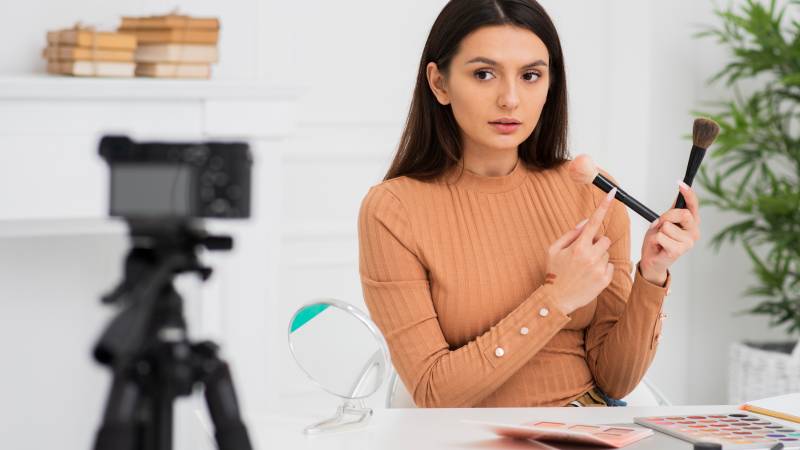
Short-form product videos work best when they answer a real question quickly: What is this, how does it work, and is it right for me? Whether the footage is filmed by a creator or produced with AI UGC tools, the goal should be clarity rather than manufactured excitement. A polished edit cannot compensate for a confusing demonstration or a claim that the product cannot support.
Viewers make fast choices while scrolling, so every second should help them understand the product. Show the item in use, use language people would recognize from everyday conversations, and give enough context to make the result believable. The strongest videos do not pretend that every product is perfect for every person.
Why Trust Matters In Short-Form Video
Trust begins with small details. A close shot can answer questions about texture, finish, packaging, or controls. A hand, a tabletop, or a familiar household object can show scale. A realistic use case can reveal whether the setup is simple or whether the product needs more time and attention than a quick clip suggests.
By contrast, vague statements such as “you need this” or “game-changing” leave viewers with little to evaluate. A useful video makes a specific point and supports it on screen. If a storage container seals, show the lid closing. If a tool folds, show the folding motion. If a skincare product has a particular consistency, let viewers see it.
What Makes A Product Video Work
A strong short-form product video usually has one job. It may demonstrate a feature, answer a common objection, compare two options, explain setup, or show a practical result. Trying to do all of those things in one clip often makes the message harder to follow.
A simple structure: hook, proof, next step
- Hook: Start with the problem, question, or visible result. “Here is how this fits in a small drawer” is clearer than opening on a logo.
- Proof: Show the product doing the thing the opening promised. Keep the important action large enough to see.
- Next step: Invite a reasonable action, such as checking sizes, viewing product details, or saving the video for later.
Captions also matter because many people watch videos with the sound off. Keep them brief, high contrast, and timed to the visual action rather than using them as a place to hide essential qualifications.
How To Plan The Video Before Production
Planning does not require a lengthy creative brief. Start by collecting customer questions, product reviews, return reasons, sales-team notes, and support requests. These sources can reveal what people need to see before they feel ready to buy.
- Choose one audience problem to address.
- Select one benefit that directly relates to that problem.
- Choose a format, such as a demonstration, comparison, review, explanation, or answer to a question.
- Write a loose hook, proof, and next-step outline.
- Check that every product claim can be supported before filming or publishing.
Ways To Show The Product Clearly
Film the product where it would naturally be used whenever possible. A kitchen tool belongs in a kitchen, a travel bag is easier to understand when it is packed, and a desk accessory makes more sense beside a laptop or notebook. Context helps viewers picture the product in their own routines.
- Use close-ups for labels, materials, controls, and other purchase-critical details.
- Show setup, use, and the resulting state when the product has multiple steps.
- Keep packaging and on-screen text sharp enough to read.
- Use a hand or a familiar object to establish scale.
- Do not cut away before the key action is complete.
How To Keep The Content Natural
Natural content is not the same as careless content. It can have handheld movement, ordinary lighting, and conversational delivery while still being accurate, easy to follow, and carefully edited. Avoid scripting every word so tightly that the speaker sounds like a real person.
Use plain language, leave room for normal movement, and let the product carry the story. Do not rely on exaggerated reactions, unsupported praise, or visual effects that obscure what the item actually does. Real customer questions can become reliable prompts for future videos because they keep the subject tied to practical concerns.
How To Use Clear Disclosures
Transparency is part of believable product content. When a creator is paid, receives a free product, has an employment relationship, or otherwise has a material connection to a brand, clear disclosure guidance for social media endorsements explains that viewers should be able to see and understand that relationship.
- Place terms such as “ad,” “sponsored,” or “paid partnership” where viewers can notice them without expanding a caption.
- Include the disclosure in the video when the endorsement appears in the video.
- Do not portray a supplied product as a personal purchase if that is not true.
- Do not imply that someone used a product when they did not.
- Make AI-generated or staged creator-style material distinguishable from a genuine customer review.
How To Adapt Videos For Each Platform
One master edit rarely fits every placement. Build with vertical framing in mind for mobile-first channels, and keep essential text away from areas where captions, buttons, or account information may cover it. The opening should work even if a viewer only watches the first few moments.
Platform research can help shape the edit without turning every video into a trend copy. The creative resources for current TikTok formats and examples can provide ideas for pacing, hooks, and presentation. Use those ideas only when they fit the product and audience.
What To Test And Measure
Small tests are more useful than guessing which concept will win. Create versions that change one major element at a time, such as the opening line, the first visual, the presence of voiceover, or the order of the demonstration. This makes the results easier to interpret.
Review watch time, completion rate, clicks, saves, comments, and conversions in context with the video’s purpose. Also read negative feedback. Comments about confusing sizing, unclear instructions, or disappointing expectations may point to a gap in the creative or product page.
Common Mistakes To Avoid
- Opening with a logo instead of the viewer’s problem or question.
- Trying to list every feature in one brief video.
- Making impressive-sounding claims without evidence.
- Putting essential details in tiny, fast-moving captions.
- Presenting synthetic or staged footage as a real customer testimonial.
- Using a trend that has no meaningful connection to the product.
- Judging success by view count alone.
A Simple 7-Step Production Workflow
- Research: Gather questions, objections, reviews, and search terms.
- Choose: Pick one audience and one message.
- Plan: Create a short shot list and speaking outline.
- Produce: Film or generate several versions with consistent product details.
- Review: Check accuracy, captions, sound, pacing, and disclosures.
- Publish: Adapt the edit for the intended placement.
- Learn: Use performance and feedback to improve the next batch.
Final Takeaway
The best short-form product videos do not need to look flawless. They need to show the right thing, make a supportable point, and respect the viewer’s ability to decide. Clear demonstrations, honest disclosures, accessible captions, and disciplined testing create content that can earn attention without giving up trust.